A closer look at what we've built
Real workflows, real outputs — expand any card to see exactly how it works under the hood.
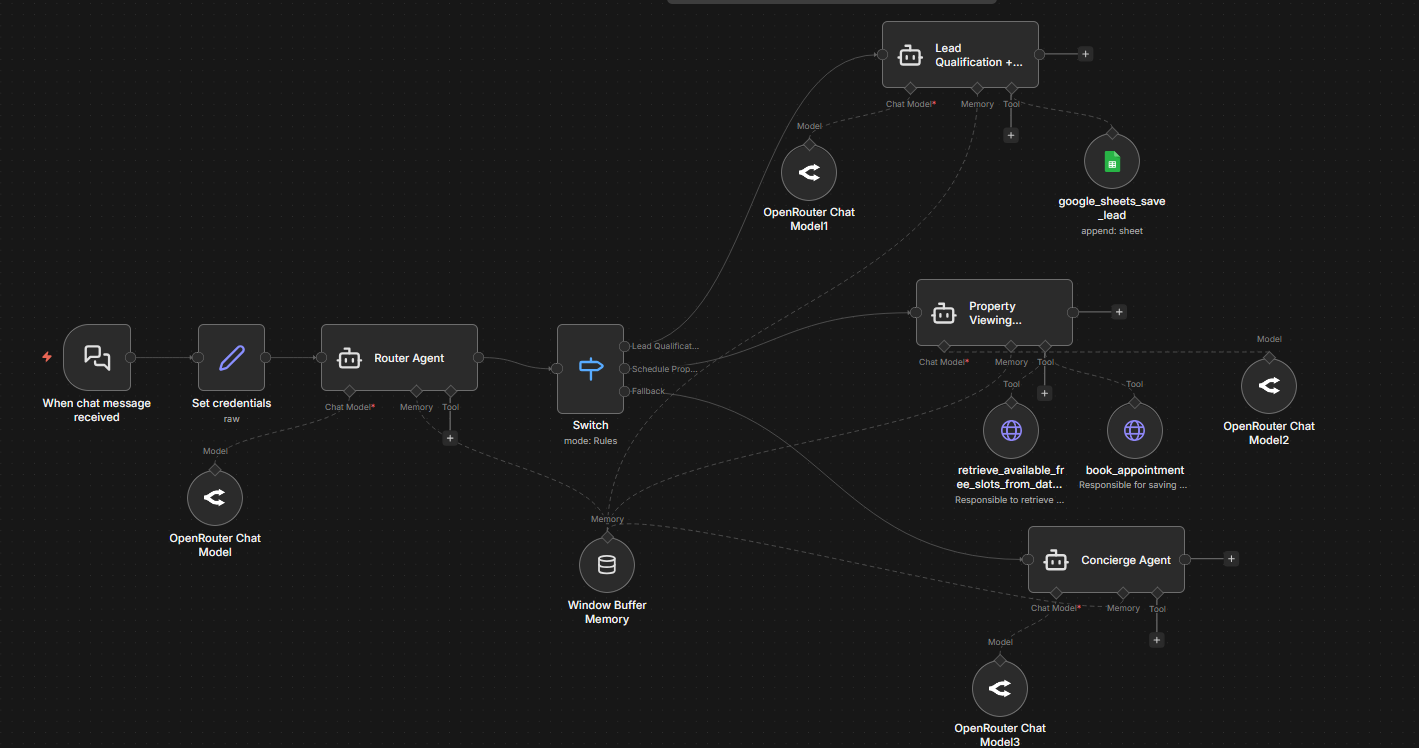
A multi-agent AI system that qualifies leads through conversation, scores them automatically, logs them to Google Sheets, and books a call directly into the calendar — all without human involvement.
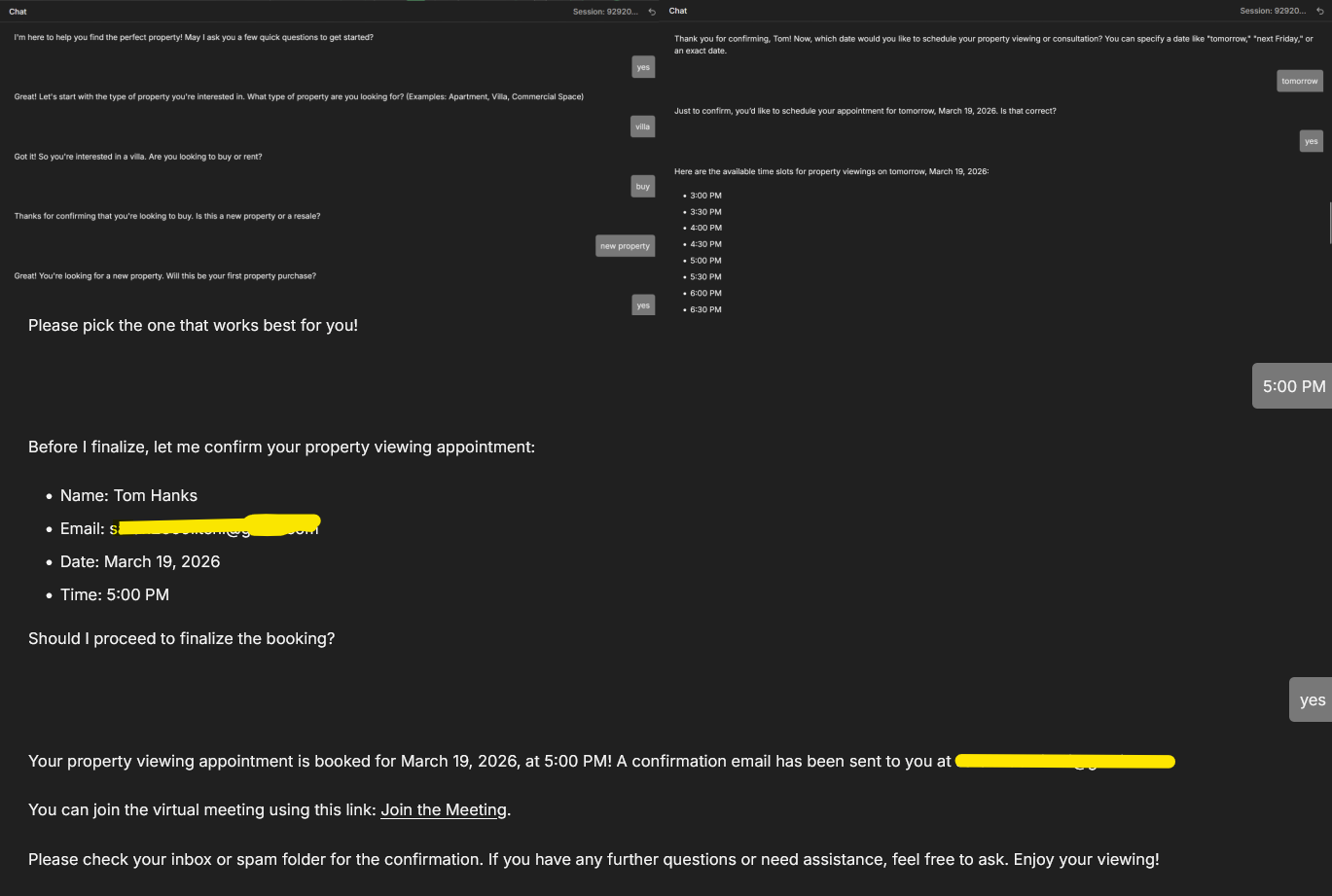
The AI agent qualifies the lead through natural conversation, collects requirements, and presents available time slots — all in one chat session.

Every lead is scored automatically with full reasoning logged to Google Sheets — so your team always knows who to prioritize.
- A chat message triggers a Router Agent that reads the conversation and decides which sub-agent to activate — Lead Qualification, Booking Scheduler, or Concierge — using a Switch node with shared memory across all agents
- The Qualification Agent collects business type, goals, budget, timeline and needs through natural conversation, then scores the lead out of 100 with full reasoning and saves everything to Google Sheets
- The Booking Agent checks real-time calendar availability and offers time slots, then books the appointment via Cal.com — creating a Google Calendar event with a Google Meet link and sending confirmation emails to both parties automatically
An n8n system that takes a website form submission to a fully qualified, CRM-ready lead record in seconds — AI scores intent and fit, routes hot leads to Slack instantly, and runs a follow-up cadence for warm leads automatically.


Hot leads trigger an instant Slack alert in #lead-qualification with full enriched context — company, employee count, score, urgency, and the prospect's exact message.

Every lead is logged to Google Sheets with enriched company data, AI-assigned tier (hot/warm/cold), urgency level, and detected use case — a full audit trail in one view.

Each lead is automatically created as a HubSpot contact, fully populated and ready for your sales team — no manual data entry, no copying from a form.
- A webhook catches the form submission the moment it's sent, normalizes all fields to a standard schema, and validates required data — invalid submissions are flagged, logged separately, and never pollute the main pipeline
- The lead's email domain is extracted and sent to an enrichment API that returns real company data — industry, employee count, location, and founding year — so your team has context before ever speaking to the prospect
- An AI model reads the prospect's message and classifies urgency (high / medium / low) and use case; a composite score combining company fit and intent determines whether the lead is hot, warm, or cold
- Hot leads trigger an instant Slack alert to your sales channel with the full enriched record — company, score, urgency, and their exact message — so a rep can respond within minutes. All leads are simultaneously synced to HubSpot and logged to Google Sheets regardless of tier
- A separate daily workflow scans for warm leads with no rep activity after a set window, sends a personalized follow-up email automatically, and marks them as touched — so leads never go cold from being forgotten
One form submission triggers Reddit research, GPT-4o post writing, DALL-E image generation, and saves a full content calendar to Notion.

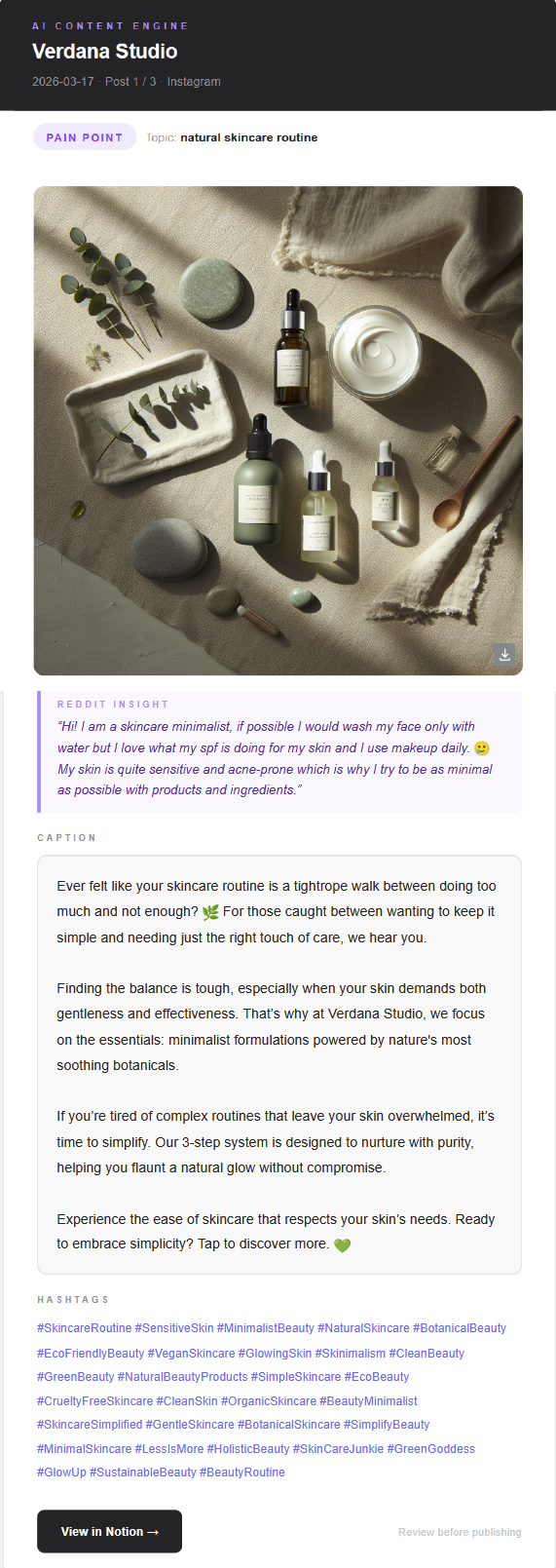
Each post is saved to Notion with its Reddit insight, AI image, caption, and hashtags — ready to review before publishing.
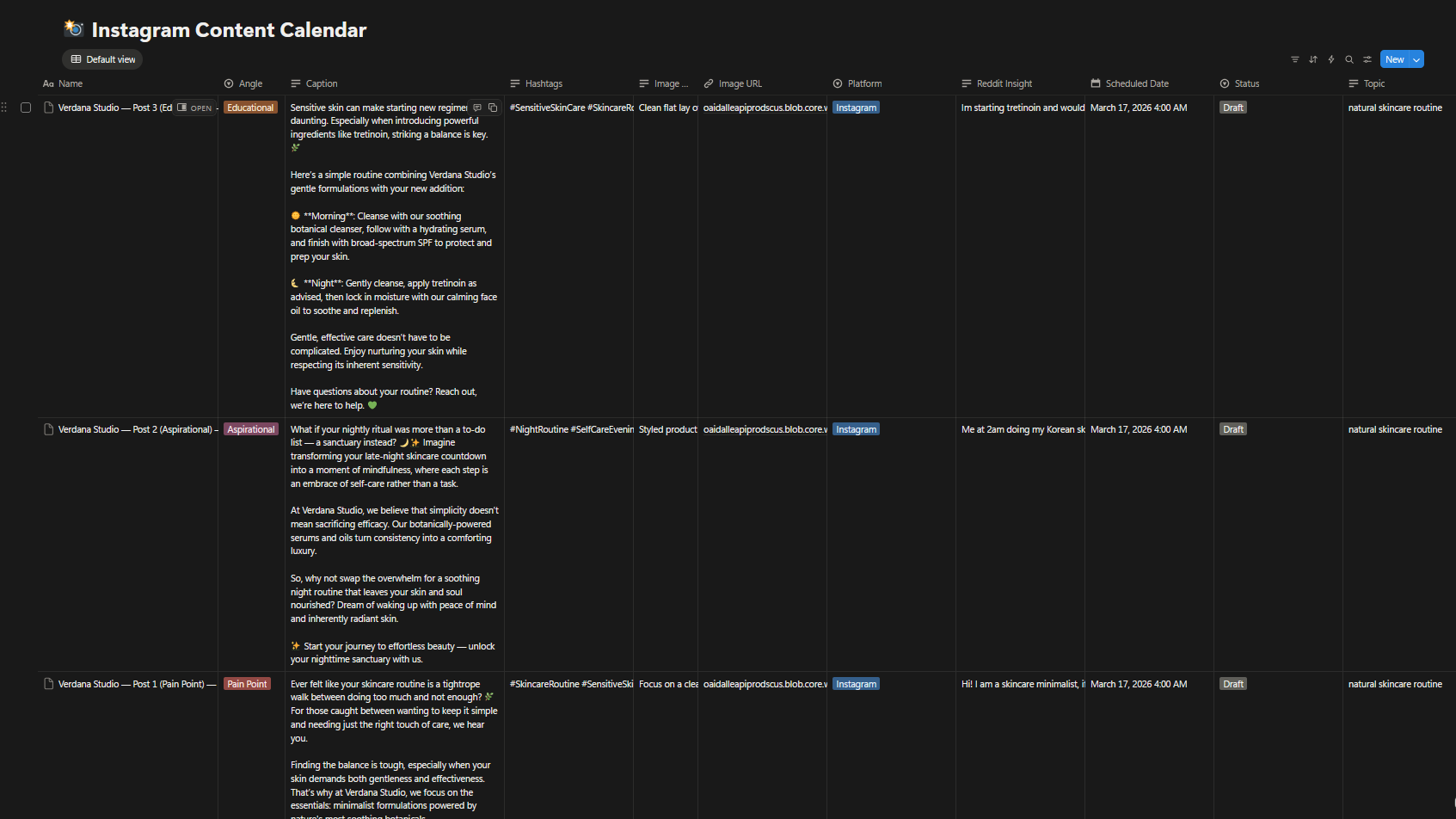
One form submission generates 3 posts covering Pain Point, Aspirational, and Educational angles — building a full weekly content calendar automatically.
- A client fills in a short form with their brand name, what they sell, a topic to research, and their tone of voice — this triggers the workflow instantly
- Reddit is searched for real conversations around the topic to extract authentic audience insights, then GPT-4o uses those insights to write 3 posts covering Pain Point, Aspirational, and Educational angles
- DALL-E 3 generates a custom image for each post, everything is saved as a structured page in Notion, and a summary email is sent to the marketing team for review
Every Monday morning, your client wakes up to a full performance report — revenue, returns, trends — written and sent automatically. Zero manual work.

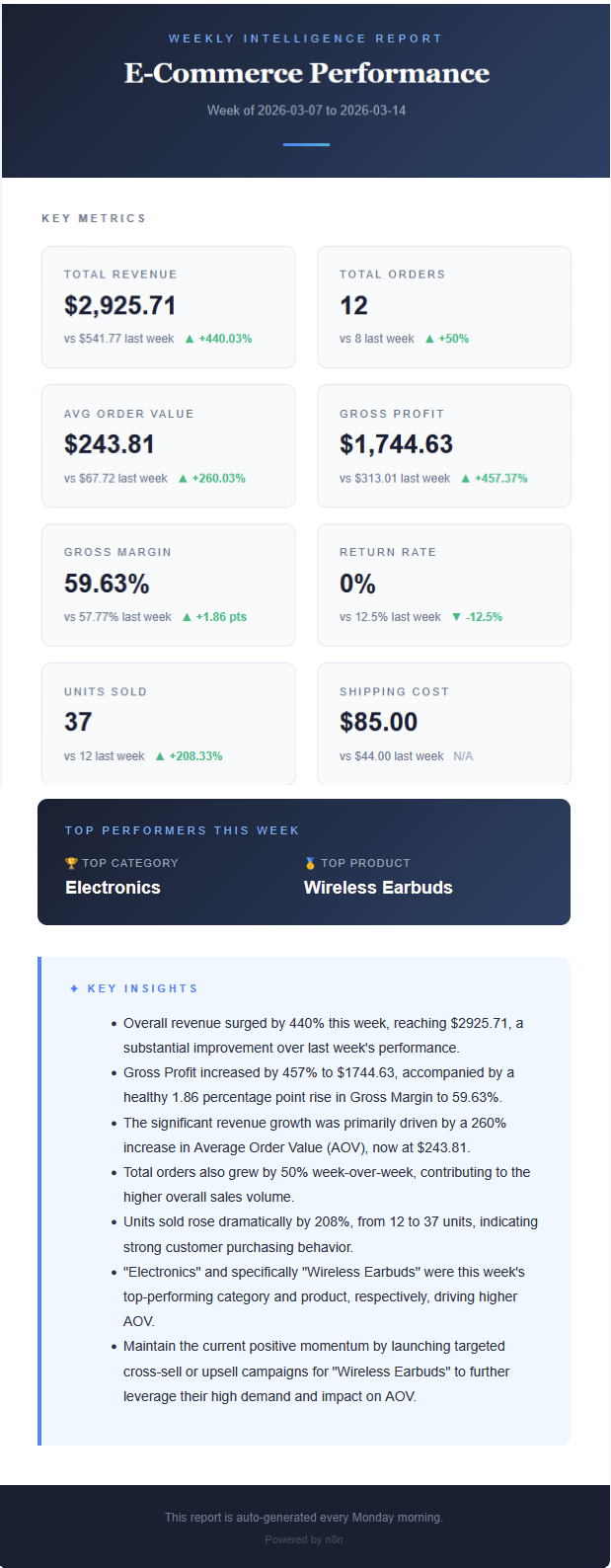
- Triggers every Monday and pulls the latest order data from a Google Sheet automatically
- A code node calculates KPIs including revenue, gross profit, return rate and week-over-week deltas
- Gemini AI analyzes the numbers and writes bullet-point insights, then the report is formatted as an HTML email and sent via Gmail
Feed in a plain product image and get back a professional AI-generated photo with a realistic model — ready for your store or ads.
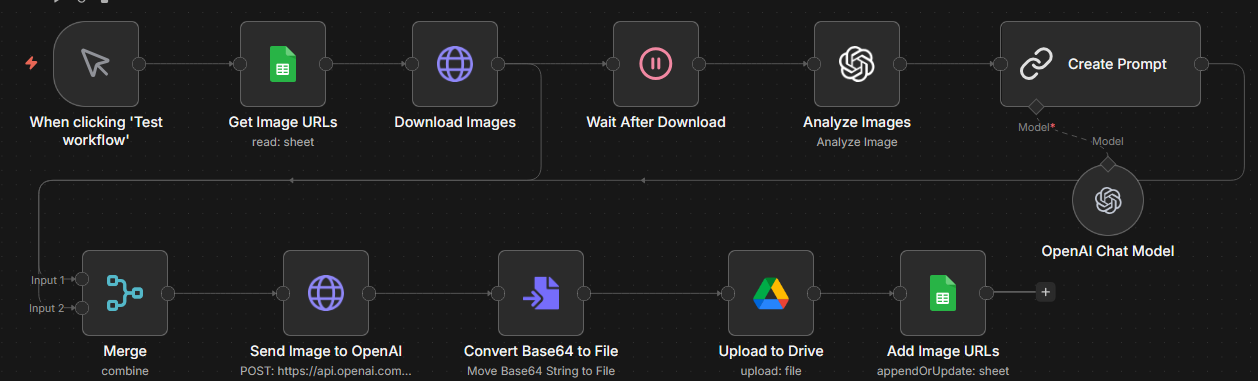
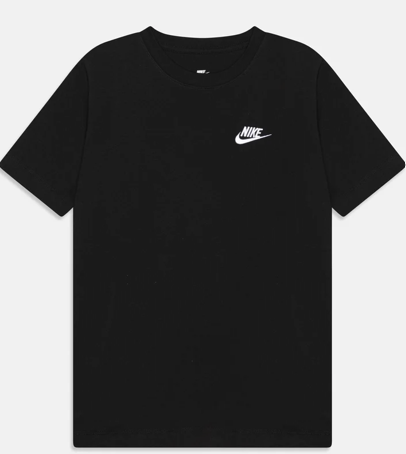
Original flat product image.

AI-generated professional photo with a realistic model.
- Product image URLs are read from a Google Sheet and the images are downloaded automatically
- GPT-4o-mini analyzes each image to identify the product, then an LLM generates an optimized cinematic photography prompt tailored to whether the item is wearable or not
- fal.ai generates the final professional image, which is uploaded to Google Drive and the Sheet is updated with the new URL
A Python + n8n system that reads any invoice, extracts key fields with AI, scores its own confidence, and either files the document automatically or flags it for human review — all running locally so client data never leaves your infrastructure.
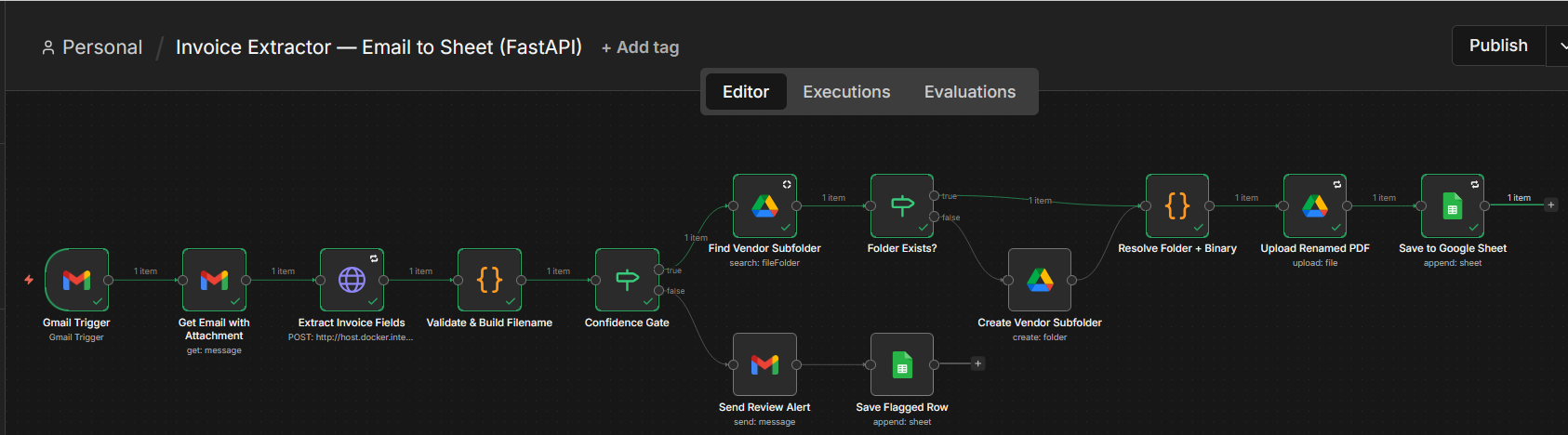
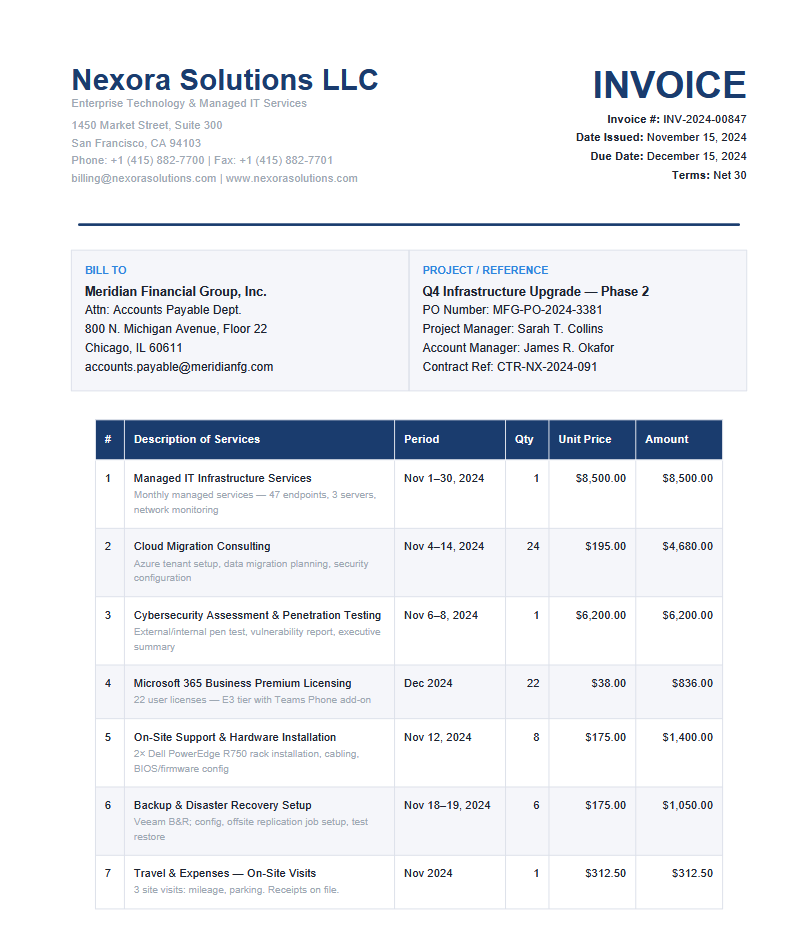
Vendor, invoice number, date, and total extracted automatically — with a confidence score on every field.
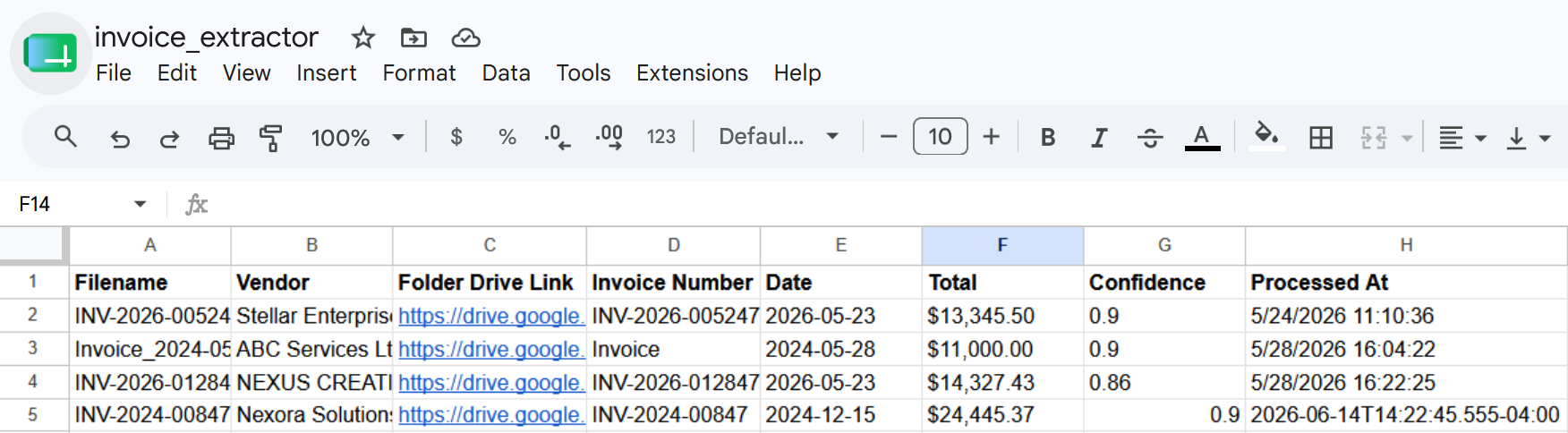
Validated fields logged to Google Sheets instantly — low-confidence rows flagged for human review.
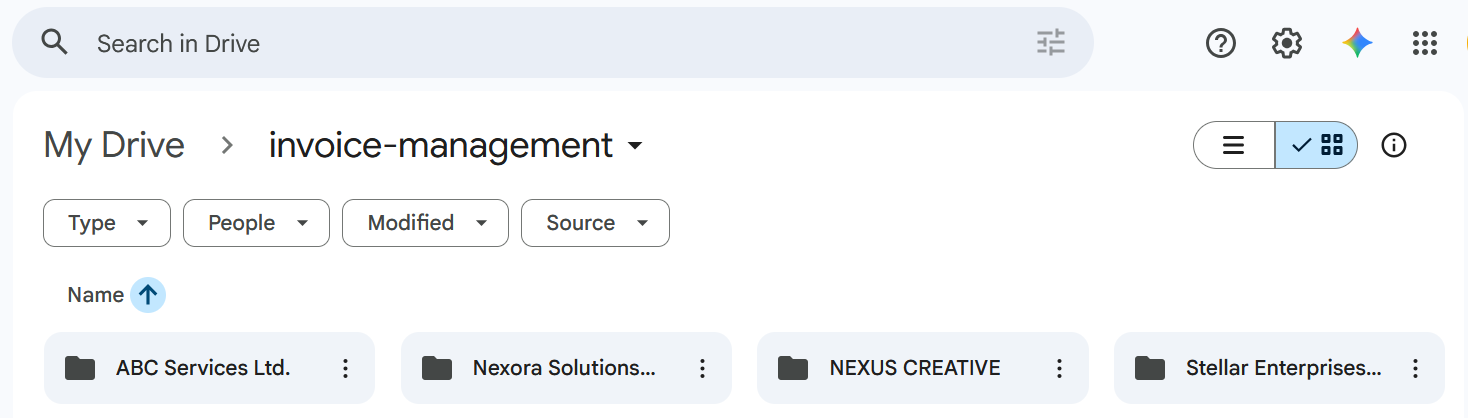
Document renamed and filed to Google Drive automatically — no manual sorting.
- An invoice (PDF or image) is uploaded via n8n trigger; it calls the local Python FastAPI server at /extract, where pdfplumber and regex pull out vendor, invoice number, date, and total — Gemini AI steps in as fallback when regex alone isn't enough
- validator.py scores extraction confidence for each field; n8n reads the score and routes automatically — high-confidence results proceed to logging and filing, low-confidence results are sent to a human review queue via email or Slack
- Validated invoices are logged to Google Sheets and the original document is renamed and filed to Google Drive — everything runs locally so client PII never reaches an external server
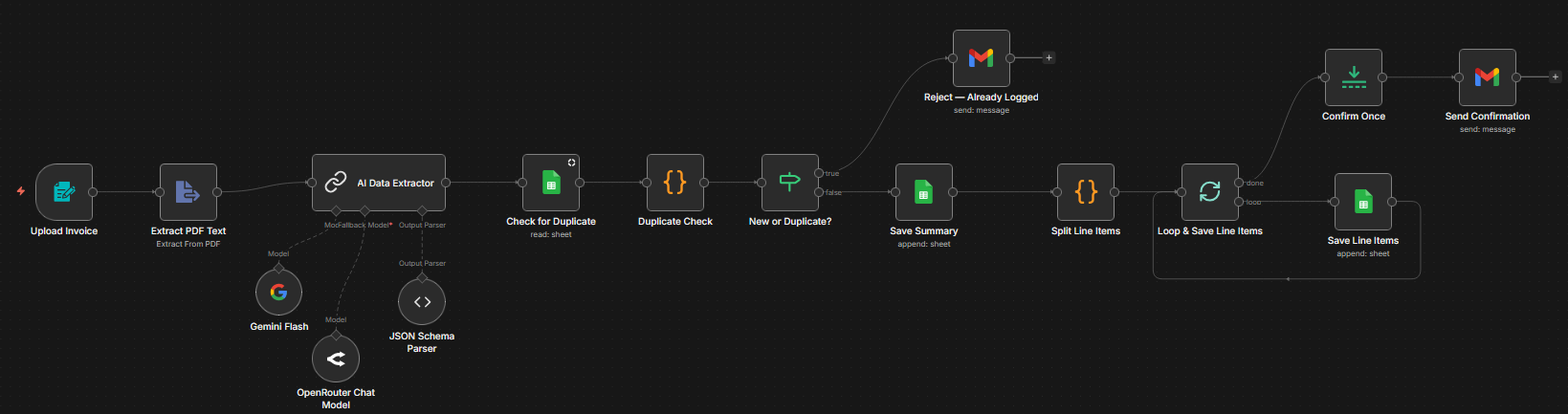
Upload a PDF invoice and watch it get parsed by AI, deduplicated, logged to Google Sheets, and confirmed — all in seconds.
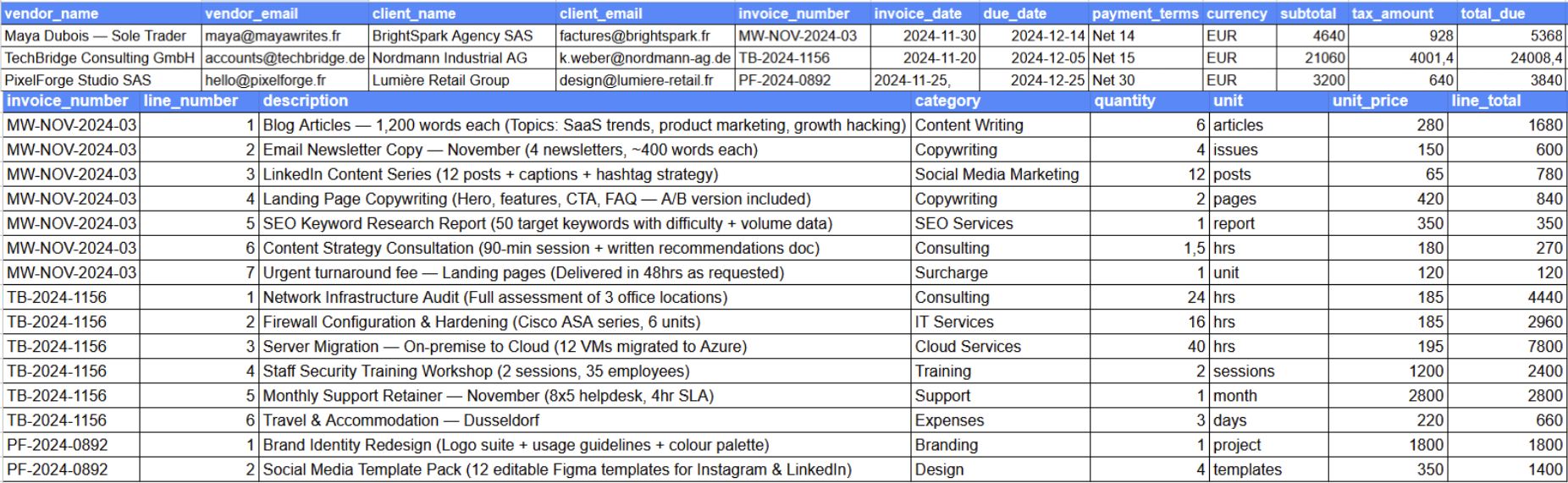
Invoice summary and line items saved to separate tabs in Google Sheets automatically.
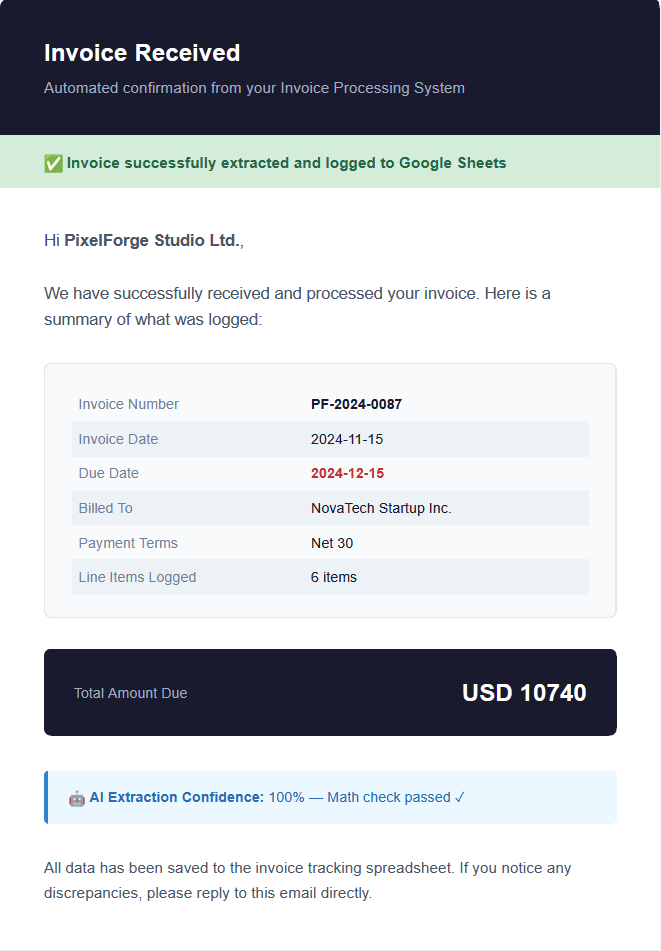
Confirmation email sent to the vendor with extracted details and AI confidence score.
- A PDF invoice is uploaded manually via a form trigger, and the raw text is extracted from the document
- Gemini Flash parses the content using a JSON schema to extract structured fields: vendor, client, amounts, due date, and all line items
- A duplicate check runs against Google Sheets before saving — if already logged, a rejection email is sent instead; if new, the summary and line items are saved to separate sheets and a confirmation email is dispatched via Gmail